Host a Statamic Website for Free with Netlify
Learn how to host a Statamic website for free using Netlify. We assume you already have a Statamic project set up as a GitHub repository. This guide covers installing the required Statamic SSG package, configuring Netlify, and the minimal setup needed to get your site up and running.
For general information, check out our Laravel hosting guide.


Step 1: Preparing Your Statamic Project
Prerequisite: A GitHub Repository
For this process, you need a Statamic project that is already set up as a GitHub repository (GitLab and BitBucket are also supported as repo providers). We assume you are familiar with GitHub and have your project set up there already.
Installing the Statamic SSG Package
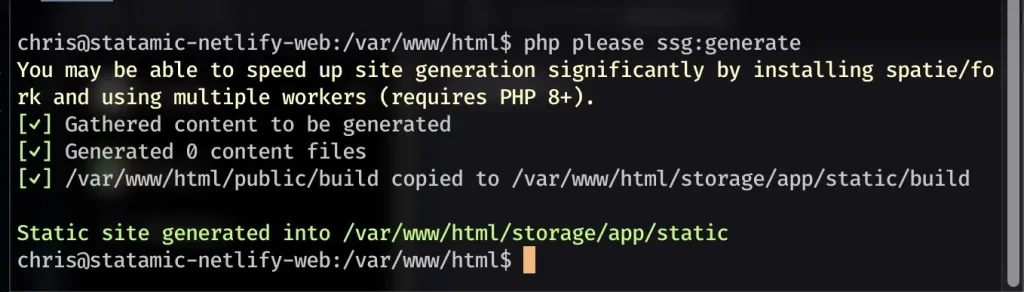
If you have not done so already, you need to add the Statamic SSG package to your project. Run composer require statamic/ssg to install it. This package allows you to generate static content from your Statamic project, which is essential for hosting on Netlify.
Step 2: Configuring Netlify
Once the GitHub repo is connected to Netlify, you can configure the project within Netlify.
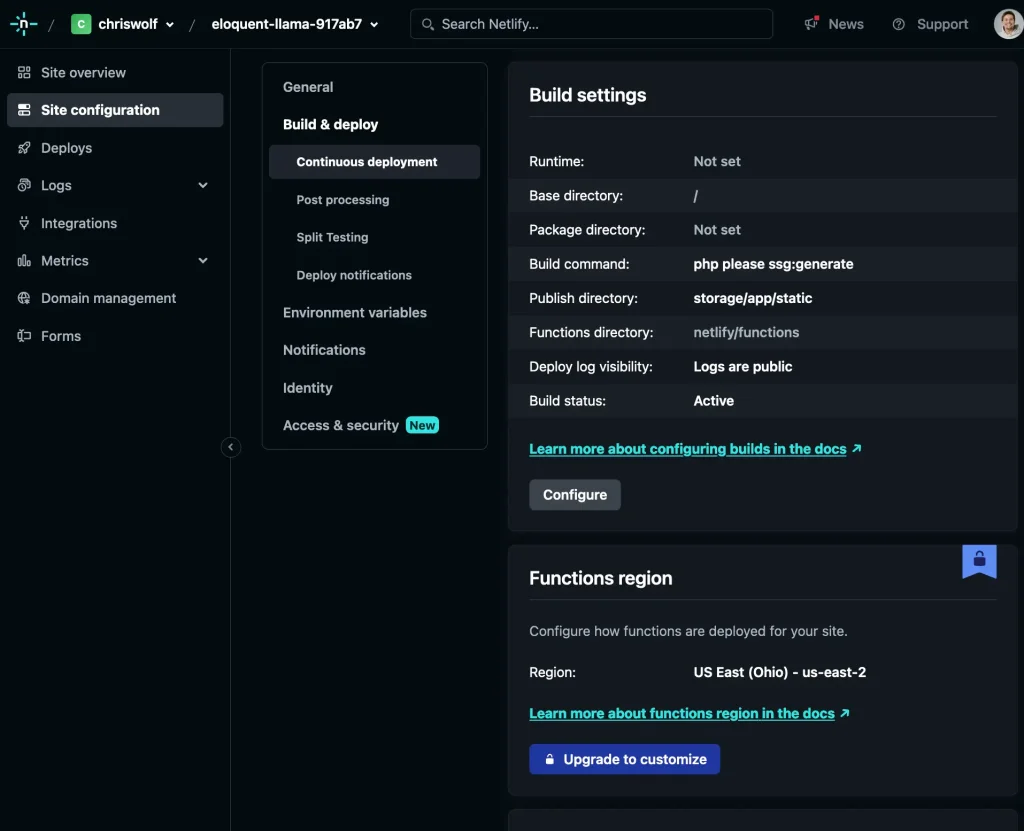
Configuring the Build Settings
In Netlify's build settings, you need to set the following parameters:
Base directory:
/Build command:
php please ssg:generatePublish directory:
storage/app/static
Setting Up Environment Variables
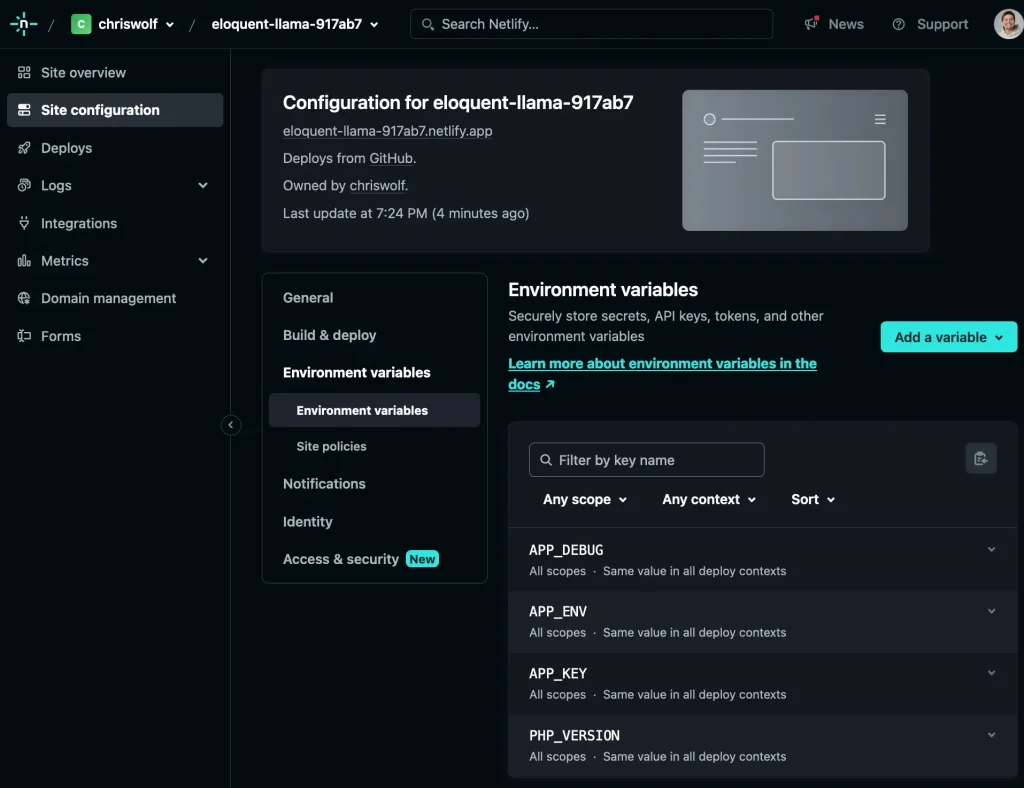
Make sure the following environment variables are set in Netlify:
APP_DEBUG:
falseAPP_KEY: (generate with
php artisan key:generate)APP_ENV:
productionPHP_VERSION:
8.1(hopefully Netlify will support PHP 8.2 soon)
Step 3: Deploying Your Statamic Site
Once the configuration is complete, your Statamic site can be deployed to Netlify. Keep in mind that this is a basic configuration. For additional features, such as a contact form, further steps are required.
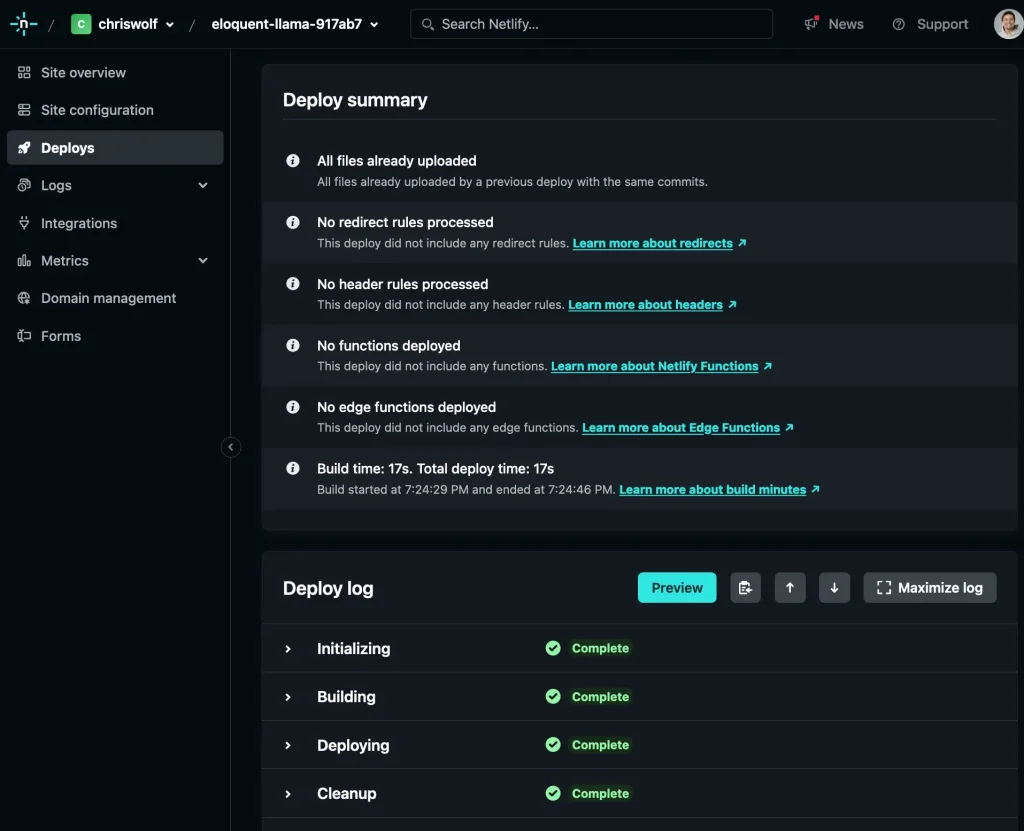
And just like that, the site is live:
https://eloquent-llama-917ab7.netlify.app/
Why Use Netlify as a Hosting Provider?
You might be wondering, "what is the point?"
One advantage of Netlify is that it functions as managed hosting (serverless), which means there is no server maintenance to worry about.
For small projects, it is especially appealing because it offers a free hosting tier. However, the hosting location can only be configured with a paid Netlify plan. This could pose challenges with GDPR compliance.
Netlify is fast! Admittedly, this pagespeed.web.dev test hits 100 points, but we are testing an empty website without images, styling, etc. That said, you can absolutely achieve a score of >90 or even 100 points with a fully built-out website as well.

No results One result
Too many searches in a short time. The search is not reachable right now.
Please wait a moment, then carry on. Please try again in a moment.