


Guide: How to Start a Software Project

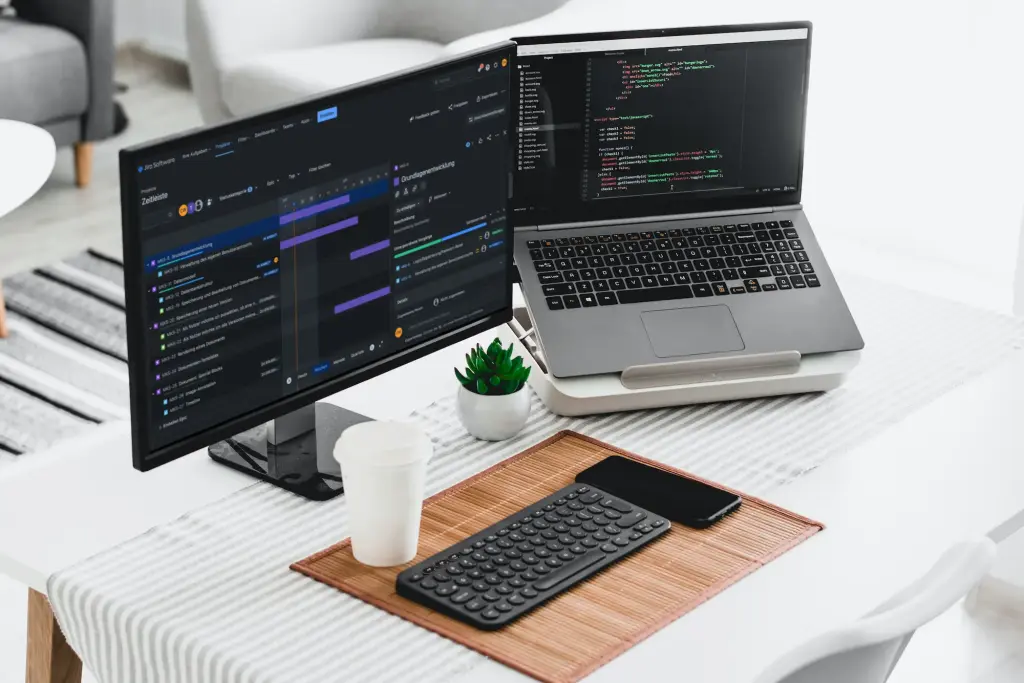
Whether it is a mobile app or a complex backend system – starting and planning a software project is a crucial moment that significantly shapes the course of the entire project.
In this article, we explain how to approach the task and which strategies are key to making a project successful.
Validating the idea
Let us assume you already have an idea and want to get started. Where do you begin? Let us start with the question of the target audience: if you do not intend to use the new software solely within your own company, you should validate the idea and check whether there is demand. We cover this topic in this blog article: How to validate a SaaS project
After this first step, you can move on to project planning.
The documentation
To give developers the opportunity to familiarize themselves with the project idea, a project description or requirements document is needed.
In the past, extensive specification documents were created for this purpose, which was very time-consuming in itself.
In modern software development, however, new methods are used. We rely on agile development.
This means we start with a rough project description and approach the desired result through incremental steps.
This offers the great advantage that development happens in close coordination with the client, and partial results can be immediately tested for their usefulness. The focus is on incorporating new insights (requirements) directly into the development process to stay agile.
The high-level concept
In the high-level concept, we look at the new software from a bird's eye view and try to get an overview. Try to explicitly list all the points that seem obvious (implicit) to you in order to make them known to the developers. Ask yourself these questions:
Who are the users?
Only yourself?
Your employees (internal use only)
Your customers (public use/marketing)
How should the software be used in the future?
Only via smartphone/tablet (an app)
Both: smartphone/tablet and laptop/desktop
Offline, i.e. without an internet connection or with interruptions
Is compatibility with specific operating systems or hardware (e.g. label printers) required?
Do external systems (APIs) need to be integrated?
What belongs in a project description?
The project description should provide a rough overview of what is to be developed. An example:
"The goal of the project is a web app with marketplace functionality that allows us to connect buyers and sellers. Through filter functions, both groups can search for suitable listings and then contact each other. The web app should be optimized especially for tablets and be able to use the tablet camera to take photos directly when creating new listings."
From this description, a developer can derive several points:
It is an online marketplace
Mobile optimization is important
A PWA could be suitable, at the very least device features (camera) need to be accessed
Possible follow-up questions from the developer could be:
Should the web app also include features for processing transactions or for communication between buyers and sellers?
Are there already design ideas or UI/UX requirements for the web app?
Which specific filter functions should be implemented to help buyers and sellers search for listings?
Avoiding misunderstandings
As a client, you probably have a clear idea of the scope of features and the desired look of your new solution. The challenge now is to convey this vision to the development team as precisely and without misunderstandings as possible. To achieve this, user stories and detailed descriptions are a proven tool. These documents also help you select the right developer: by presenting the documentation, you receive more qualified proposals.
User stories: The core of the project plan
To further refine the project plan, we next create user stories, which describe the requirements from the user's perspective in detail and break them down into smaller, manageable tasks.
What is a user story?
A user story is a short, concise description of a feature from the perspective (role, scenario) of the user. It describes what the user wants to do and why. User stories are used in agile software development to gather requirements and inform the development team about how the app should behave.
Examples of user stories:
As a user, I want to be able to log in with my username and password so that I can access my account information.
As an administrator, I want to be able to send notifications to users to share important information.
Project description with user stories
User stories form the core element of the project description. Through them, the desired features of the web app or software solution can be described easily and in natural language. This form of documentation is easy to understand, simple to create, and provides sufficient information for cost estimates and timelines.
For our marketplace example, the user stories could look like this:
As a buyer, I want to be able to filter listings on the web app to find products that match my specific requirements.
As a seller, I want to be able to create listings that contain relevant information and include photos taken with my tablet.
As a buyer, I want to be able to contact sellers through the web app to get more information about a listing or to complete a purchase.
As a buyer, I want the option to sort listings based on various criteria such as price, location, or product category.
As a seller, I want to receive notifications when a buyer shows interest in my listing or contacts me.
As a buyer, I want to be able to see a preview of listings to quickly decide whether they meet my requirements.
As an administrator, I want a user-friendly dashboard that gives me an overview of all active listings, user activities, and key statistics to monitor and analyze the platform's performance.
As an administrator, I want the ability to manage user accounts, including the ability to approve new users, review suspicious activity, and block or delete users when necessary to ensure the security and integrity of the platform.
As an administrator, I want to implement an effective support ticket system that allows users to get help with problems or questions, and enables me to track, prioritize, and handle these tickets appropriately to ensure a positive user experience and resolve issues quickly.
Once the user stories have been created, it is important to prioritize them in order to focus on the most important features and manage the project efficiently. Prioritization helps identify the core features and determine which elements should be implemented first.
Selecting the core features
Once we have a clear understanding of the requirements through user stories, the core features for the MVP should be identified. The MVP, the Minimum Viable Product, is the base version of the software that contains all the essential features and characteristics required to solve the users' problem.
When it is difficult to draw the line ...
Then it helps to divide the desired features into 4 categories:
Must have
Should have
Could have
Won't have
This type of categorization is called MoSCoW prioritization. Ideally, the MVP consists only of the must-haves and largely does without the should-haves and could-haves.
In our example, an MVP could include the following features:
User registration and login: The ability for users to register on the platform and subsequently log in to access the features.
Create listings: The functionality for sellers to create new listings, including the ability to add relevant information and photos.
Browse and filter listings: The ability for buyers to browse through existing listings and filter them by various criteria such as category, price, or location.
Contact between buyer and seller: A way for users to get in touch with each other to exchange further information about a listing or to complete a purchase.
Basic administration features: An easy-to-use administration dashboard that allows the administrator to manage user accounts, monitor listings, and perform basic analytics.
Tablet-optimized user interface: A user interface specifically optimized for tablet use that allows users to easily use the platform on their mobile devices, including the ability to take and upload photos with the tablet camera.
Identifying features for subsequent versions
Once the core features for the MVP have been identified, the features for subsequent versions need to be identified. These features can be added gradually to improve the software solution and meet further user needs.
Developing the MVP
Once the requirements documentation and user stories have been created, development of the MVP can begin. Here, the core features are implemented to create the base version of the software solution.
What is needed for a project kickoff?
We start new projects with a kickoff meeting in which we discuss all project aspects again: the goal, the milestones, and the definition of the MVP, the technical requirements, and the timeline.
As part of the kickoff meeting, we also set up the communication channels (such as Slack, Microsoft Teams, RocketChat, etc.) and schedule the next regular check-in.
By this point at the latest, all questions should be clarified and everyone should know what happens next.
We believe in transparent communication and use tools like Slack, Trello, or Jira to track project progress and provide regular updates. For longer-running projects, we also hold regular check-in meetings to ensure we stay aligned.
A web app is a software application that runs in a web browser and doesn't need to be installed.
Unlike native apps — which are built specifically for operating systems like Android or iOS and must be downloaded from the Google Play Store or Apple App Store — web apps are platform-independent and accessible on any device with a browser.
Progressive Web Apps (PWAs) are a special type of web app. They support nearly all device features (camera, motion sensor, Touch ID, etc.) and can even send push notifications.
Small Laravel projects (e.g. up to 100 users) can already be run on very small and inexpensive web servers. As a rule, such a server (also called a "bucket") can be booked for less than 20€ net per month.
Of course, these costs can increase if the project places special demands on the hardware. We will be happy to advise you on the specific case and make appropriate recommendations.
No results One result
Too many searches in a short time. The search is not reachable right now.
Please wait a moment, then carry on. Please try again in a moment.