


PhpStorm vs. VSCode: Why PhpStorm Is the Better Choice for Professional PHP Developers

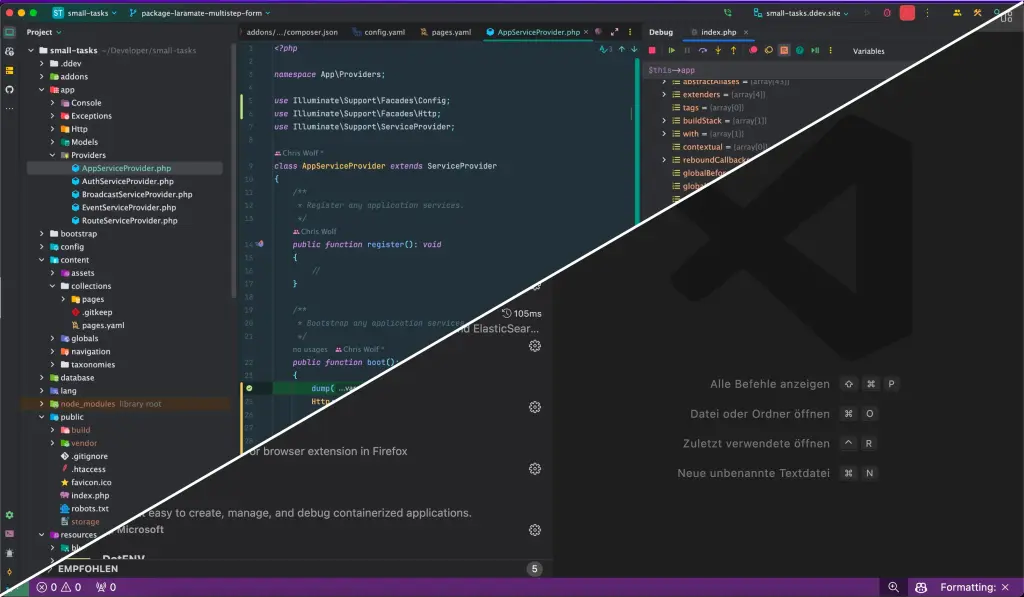
This article is an opinion piece and not paid advertising.
Visual Studio Code (VSCode) is versatile and user-friendly. That's why it's popular among many developers. In this article, I'll explain why PhpStorm is the better choice for professionals.
PhpStorm is a full-fledged IDE (Integrated Development Environment). It offers numerous features that go far beyond the capabilities of text editors like VSCode.
IDE vs. Text Editor
At the heart of this comparison lies the distinction between an IDE and a simple text editor. While VSCode excels as a versatile text editor, PhpStorm plays in a league of its own with its comprehensive IDE capabilities.
VSCode's feature set can be extended through the installation of extensions to approximate PhpStorm's functionality.

I installed 65 extensions to achieve a similar feature set that PhpStorm offers out of the box. These include extensions for PHP, xDebug, Composer, recognition of @todo and @fixme comments, a plugin for visualizing the git tree, and many more.
PhpStorm Features
As a freelance developer, I'm regularly confronted with new projects and system architectures. In the past, this has often led to colleagues I work with during a project showing me PhpStorm features I didn't even know existed.
The point I'm making: PhpStorm offers everything a professional needs and more.
Superior Refactoring Capabilities
Refactoring tools specifically tailored to PHP enable extensive and rapid refactoring. Renaming variables, methods, or classes, moving code or code snippets — all of these features are not only practical but also reduce errors caused by manual refactoring.
First-Class Laravel Integration
For Laravel developers, PhpStorm is the best choice thanks to the Laravel IDEA plugin. This integration extends the already excellent PHP engine with additional navigation features and autocompletion for Laravel components like Blade templating, routes, factories, Eloquent, and validation rules.
Xdebug Integration
PhpStorm's Xdebug integration is superior to VSCode's and significantly more comprehensive. The ability to execute database queries in real time while code execution is paused is an excellent example. I dive deeper into xDebug with PhpStorm and Docker here.
All-in-One Development Environment
PhpStorm's feature-rich environment goes beyond programming and includes essential tools like a database client, a Git client with tree view, an HTTP client similar to Postman, scratch files (notes on steroids), and Local History — a feature that doesn't exist in VSCode.
For edge-case projects that can't be worked on locally, PhpStorm also includes features for automatic code synchronization via SFTP.
Code With Me enables real-time collaborative development in the same codebase.

PhpStorm Makes You More Productive
PhpStorm's holistic approach allows developers to focus on project development rather than wrestling with the editor itself. This difference is particularly valuable for experienced engineers and full-time developers who strive for maximum productivity and efficiency.
The Downsides of PhpStorm
PhpStorm's advantages and features come at a cost. PhpStorm is known as a memory hog that requires a fair amount of RAM. However, I rarely find myself in situations where this has been a real limitation. When it does happen, it's usually because I haven't restarted my MacBook in several days and have various Docker containers running in the background.
There Is a Learning Curve
Those unfamiliar with PhpStorm can feel overwhelmed by the UI, which features numerous buttons and controls. The extensive feature set brings a certain complexity — but it's well worth learning.
My Take
VSCode is a highly capable text and code editor that I frequently use when I just need to review a single file or quickly change some code.
However, when it comes to working on a project and being productive and effective, PhpStorm is an indispensable tool. I'm not paid by JetBrains, but I gladly invest in PhpStorm and the Laravel IDEA plugin to accelerate and improve my workflow.
As a full-time developer and business owner, maximizing efficiency is my top priority. Any downtime due to plugin issues is simply unacceptable. PhpStorm delivers the significant advantage of reliability and stability. While the initial learning curve and license fees may seem daunting, the returns on this investment are quick and substantial.
I've heard arguments that VSCode with the right plugins can match PhpStorm's capabilities. My own experience contradicts this. Setting up and maintaining numerous plugins for VSCode requires significant time and effort and inevitably comes with compatibility issues and bugs. As a professional, the benefits of a PhpStorm license far outweigh the hassle of configuring a text editor, enabling me to effortlessly deliver value to my clients.
No results One result
Too many searches in a short time. The search is not reachable right now.
Please wait a moment, then carry on. Please try again in a moment.