


Building a Custom Learning Management System: From Concept to Finished Platform

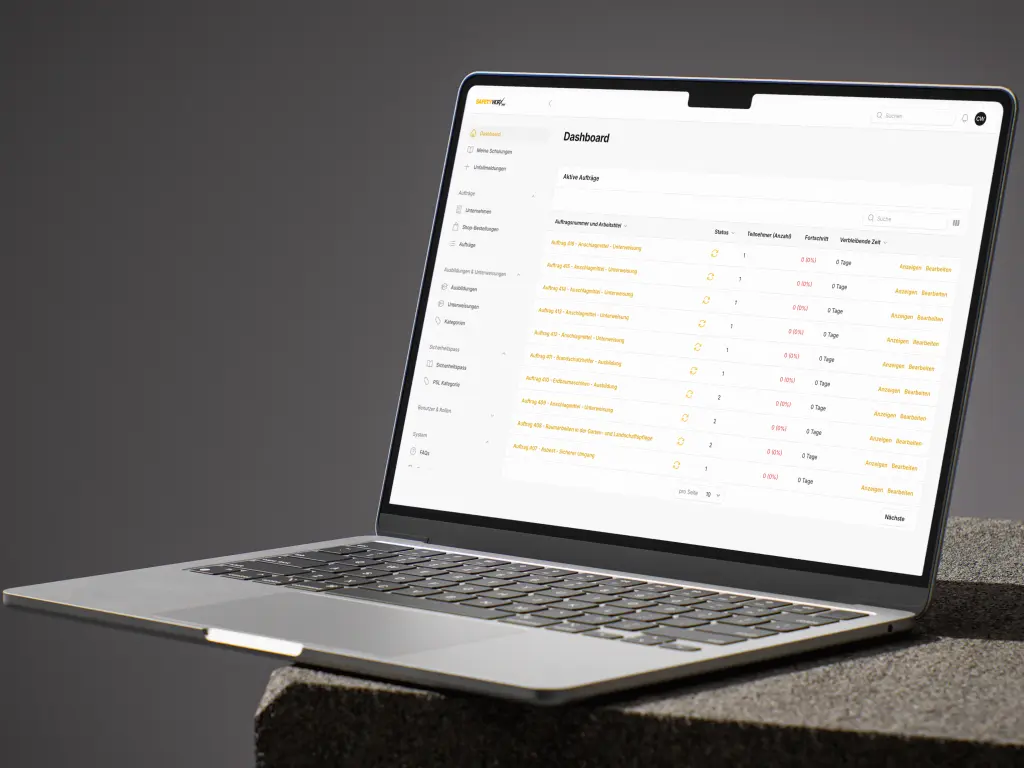
Employee training, onboarding, mandatory safety briefings, or continuing education — more and more companies are adopting digital learning management systems (LMS). But off-the-shelf solutions like Moodle or TalentLMS quickly hit their limits when it comes to industry-specific requirements.
In this article, we cover what really matters in an LMS: from managing courses and participants to automatically issuing and verifying certificates, to accessible interfaces for learners who aren't digitally savvy. We also explore how video content and AI-generated learning materials make training more effective. As an agency for custom platforms, we have already delivered several LMS projects — including the e-learning platform for Safetyworx.
Managing Learning Content, Courses, and Participants Efficiently
The core of any LMS is the centralized management of learning content, courses, and participants. A well-structured system saves time and significantly reduces administrative overhead.
Managing Learning Content
Learning content should be modular in design. Individual lessons can consist of text, images, videos, or interactive elements. In the admin area, content can be easily created, edited, and grouped into courses — without any technical knowledge required.
Course Management with Learning Paths
Courses consist of multiple lessons and can be linked into learning paths. This allows you to set up onboarding programs, for example, where one course builds on another. Typical features include:
Courses with mandatory and optional modules
Prerequisites (Course B only available after completing Course A)
Time-based content unlocking
Recurring mandatory training with automatic reminders
Participant Management
An LMS requires a differentiated role system. Typical roles include:
Learners: Complete courses, track their progress, and download certificates
Trainers/Instructors: Create and maintain course content
Team Leads: Monitor the learning progress of their team members
Administrators: Manage the entire system, users, and course settings
Participants can be created manually, imported via CSV, or automatically synchronized through an interface with your HR software.
Tracking Completions and Documenting Learning Progress
An LMS must document learning progress without gaps. This is especially important for mandatory training, where companies need to prove that employees have completed specific briefings.
What good tracking covers:
Status of each lesson (not started, in progress, completed)
Test results with date and score
Overall progress per course and per learning path
Overview of pending mandatory training per employee
Automated reports for team leads and HR departments
This data forms the foundation for compliance documentation and helps improve training programs in a targeted manner.
Issuing PDF Certificates and Verifying Them via a Public Link
Certificates are a central component of many LMS projects. After passing an exam or completing a course, a PDF certificate is automatically generated that the participant can download and present.
Automatic PDF Generation
The certificate is created based on a template and typically includes:
Participant's name
Course title and content summary
Date of completion
Unique certificate number
QR code or link for online verification
Verification via Public Link
A particularly valuable feature: each certificate receives a unique, publicly accessible verification link. Employers, clients, or regulatory authorities can use this link to check whether a certificate is genuine and still valid — without needing access to the LMS.
Here's how it works in practice:
The participant shares the link, or the verifier scans the QR code on the PDF
The platform displays a public page with the certificate details
Status (valid/expired) and validity period are shown
Tampering is ruled out since the data comes directly from the system
Especially in regulated industries such as construction, healthcare, or food production, this verification feature is a decisive advantage over off-the-shelf solutions.
Accessibility and Ease of Use: An LMS for Everyone
Many LMS projects fail not because of the technology, but because of user adoption. When employees on construction sites, in warehouses, or in healthcare need to complete training, the interface must be as simple as possible. Not every learner is digitally savvy — and they don't need to be.
Accessibility is mandatory: Since the European Accessibility Act (EAA), which came into effect on June 28, 2025, digital products and services — including software and online platforms — must be designed to be accessible. For an LMS, this means: the platform must be usable without barriers by people with disabilities. This includes sufficient contrast, keyboard navigation, screen reader compatibility, and clear language. Accessibility and low-barrier design go hand in hand — what works for people with disabilities also makes the platform easier for non-tech-savvy users.
Principles for accessible and low-barrier LMS design:
No login hassle: Access via a simple link or QR code instead of complicated registration. Alternatively, login with just a few taps on a company device.
Clear structure: One page, one goal. The learner always sees only the next step — no cluttered dashboards or nested menus.
Large buttons and readable fonts: Optimized for smartphones and tablets — the devices employees actually use.
Multilingual support: Content and interface in the learner's native language. Especially important for international teams.
Visual learning: Images and videos instead of long blocks of text. Especially for safety briefings, visual content is more effective than written prose.
Progress indicator: A simple bar shows how far the learner has progressed. This motivates and provides orientation.
Accessibility compliance: Sufficient contrast, keyboard navigation, screen reader support, and clear language. These requirements have been legally mandated since June 2025 — and they also make the LMS easier to use for everyone.
The goal: every employee should be able to start a training session within minutes — without instructions, without IT support. A custom LMS makes exactly this possible because it's tailored to the actual target audience rather than designed for a generic user. And with accessibility legislation now in effect, accessible design is no longer optional — it's a legal requirement.
Video Content in LMS: Learning by Seeing and Hearing
Videos are one of the most effective learning media. They convey information faster and more memorably than text alone — especially for practical topics like workplace safety, machine operation, or hygiene standards.
Use cases for videos in an LMS:
Explainer videos: Break down complex topics into short, easy-to-understand clips
Screencasts: Software training through screen recordings with commentary
Practical demonstrations: Show workflows on real equipment
Expert interviews: Deliver specialist knowledge authentically and personally
Technical implementation:
Videos are either hosted directly on the platform or embedded via external services like Vimeo or Bunny.net. The LMS tracks whether a video has been watched in full before the learner can proceed to the next lesson. Subtitles and playback speed controls enhance accessibility — especially for non-native speakers or hearing-impaired participants.
AI-Generated Learning Content: Creating Training Material Faster
Creating training material is time-consuming. Artificial intelligence can significantly accelerate this process — without compromising quality.
How AI can be used in an LMS:
Summarize and structure text: Existing documents, manuals, or guidelines can be transformed by AI into learning-friendly text — including simplified language for different target audiences.
Generate quiz questions: Multiple-choice questions can be automatically generated from learning content. Trainers review and adjust the questions instead of writing them entirely from scratch.
Translations: AI-powered translation of course content into multiple languages — as a starting point for final review by native speakers.
Personalized learning recommendations: Based on previous learning behavior, AI can suggest relevant courses or refresher modules.
Text-to-speech: Text content can be automatically provided as audio — ideal for learners who prefer listening over reading.
Important: AI does not replace subject matter expertise. Generated content is always reviewed and approved by domain experts. AI accelerates the creation process — but content responsibility remains with humans.
Integrations: Connecting Your LMS to Existing Systems
An LMS reaches its full potential only when it works together with your other systems. Typical integration scenarios include:
HR Software Integration
New employees are automatically created in the LMS
Department affiliation and position are synchronized
Training completions flow back into the personnel file
Single Sign-On (SSO)
Employees log in with their existing company credentials — no additional passwords required.
Automated Workflows
With automation solutions, training reminders can be sent automatically, certificates transferred to document management systems, and reports delivered to managers on a regular basis.
The technical implementation is handled via APIs that we develop to match your existing systems. Learn more on our Web Applications & Platforms page.
Case Study: E-Learning for the Construction Industry
For Safetyworx, we developed a multilingual e-learning platform for safety briefings. The system enables legally required training to be conducted digitally — even for international teams with varying language proficiency levels.
Platform highlights:
Training content in 10 languages — including video-based briefings
Deliberately simple interface designed for construction workers without IT experience
Multiple-choice tests with automatic grading
Automatic PDF certificates with verification link
Reminder function for annual mandatory training
This project demonstrates how a custom LMS solves industry-specific requirements that no off-the-shelf product can cover. Read the full case study to learn more.
Ready for Your Own LMS?
If you're considering digitizing your training or replacing an existing solution, talk to us. In a no-obligation initial consultation, we'll work together to clarify:
Which LMS features do you actually need?
How can the system be integrated into your existing IT landscape?
What budget and timeline should you plan for?
We build custom web platforms — and LMS systems are one of our specialties.
Upon request, we'll sign a non-disclosure agreement upfront — so you can share your requirements with complete confidence.
No results One result
Too many searches in a short time. The search is not reachable right now.
Please wait a moment, then carry on. Please try again in a moment.