



Replacing Excel with Custom Software That Grows with Your Business

Excel is a staple of everyday business life. Budget planning, quote calculations, shift schedules, project overviews -- for many small businesses, spreadsheets are the go-to tool. But there comes a point where Excel creates more problems than it solves. Switching to custom software -- a tailored solution that maps your exact processes -- is often the first real step toward digitalization.
Excel is flexible, most people know how to use it, and it comes at no extra cost. But that very flexibility becomes a liability as your company grows and processes become more complex. What started as a simple spreadsheet turns into an opaque web of formulas, macros, and dependencies -- a classic roadblock on the path to software modernization.
The Typical Pain Points
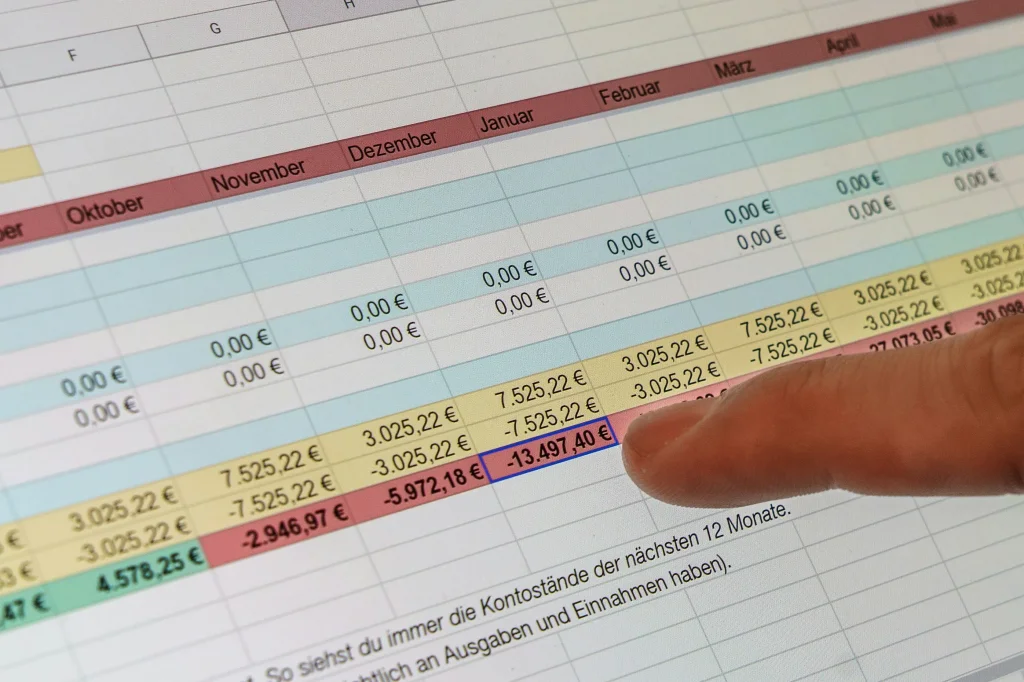
Sound familiar? A colleague is working with an outdated version of the file. The boss accidentally overwrites a formula. And when three people need to enter data at the same time, things get really messy. These are classic symptoms of an outdated IT infrastructure -- and a clear sign that it is time for the next step in your digitalization journey.
The most common problems:
Version chaos: "Budget_final_v3_new_FINAL.xlsx" -- who can even keep track anymore?
No real-time collaboration: Whoever has the file open blocks everyone else.
Error-prone: One wrong click, a deleted formula -- and the numbers no longer add up.
No remote access: The file is on the server, but you are at a client site.
No integration: Data has to be manually transferred between systems -- a major productivity killer.
From Excel to Custom Software: Migration Paths
Moving from Excel to a professional web-based system is easier than you might think. There are several approaches depending on your starting point and budget:
1. Data migration from existing Excel files
Your existing data is not lost. We can import Excel files and transfer the data structure into a modern database. In the process, data is cleaned up and consistently formatted -- no more inconsistent entries.
2. Role-based access control
With a custom web application, you control exactly who can view and edit what. Sales sees only customer data, accounting sees only invoices, and management sees everything. This protects sensitive information and prevents accidental changes.
3. Step-by-step migration
You do not have to switch everything at once. Many of our clients start with one critical spreadsheet and expand the system gradually. This allows everyone involved to get comfortable with the new workflow without disrupting day-to-day operations.
4. Cloud or on-premise
You decide where your data lives. Whether with a European hosting provider or on your own servers -- we set up the solution according to your requirements and compliance needs.
Finding the Right Partner to Replace Excel
To replace complex Excel solutions, you need a partner who brings both technical expertise and a deep understanding of your business processes. As a specialized Laravel agency, we have been building custom software solutions for small and medium-sized businesses for over 10 years.
What sets us apart:
Excel migration experience: We have already transformed many Excel-based processes into professional web applications -- from customer management and project planning to complete order processing.
Modern technology: With FilamentPHP, we build intuitive user interfaces that feel like a modern app -- not a rigid form from the 90s.
Personal service: As a small agency based in Bonn with 5 team members, you always have a direct point of contact -- no anonymous ticket hotline.
No vendor lock-in: The source code belongs to you. You can bring in another provider at any time or develop the application further on your own.
Our clients come from a wide range of industries -- from construction and digital marketing to public organizations. What they all share is a desire for efficient, reliable solutions that grow with their business.
What Does It Cost to Replace Excel?
The honest answer: it depends. Costs vary based on the complexity of your Excel solution, the number of users, and the integrations required. What we can say is that the effort is significantly less than most people expect -- and it often pays for itself within the first year through saved working hours and fewer errors.
The range spans from replacing a single spreadsheet (customer list, project overview) to more complex workflows with automations and system integrations, all the way to full-fledged CRM systems with dozens of modules. In a free initial consultation, we review your Excel solution and give you a realistic assessment.
What to keep in mind:
The software belongs to you -- no monthly licensing fees like with many cloud services
You save time in the long run through less manual work and fewer errors
The solution scales with your business -- extensions are possible at any time
An initial prototype is often ready for testing within 2-4 weeks
In a free initial consultation, we review your Excel solution and provide a first estimate of effort and costs.
Excel vs. Custom Software: What Changes
What actually changes when you move from Excel to custom software?
Sharing files via email, version chaos, one person locks the file, formulas break on structural changes, no mobile access, no audit trails, manual data transfer between systems.
Central database, real-time collaboration, role-based access control, automatic validation, access from anywhere, complete change logs, API integration with accounting, CRM, and other systems.
Modern frameworks like FilamentPHP make it possible to create a first testable version within just a few weeks -- with ready-made components for forms, tables, user roles, and dashboards. We describe how to approach such a project in a structured way in our guide: How to Start a Software Project.
Digitalization, Step by Step
Instead of waiting months for a finished solution, you can often test an initial prototype within 2-4 weeks. You see early on whether the direction is right and can provide direct feedback. This way, a solution that truly fits your business takes shape step by step.
This iterative approach is a core principle of modern software modernization: instead of a risky big-bang project, we focus on continuous improvement. This lets you drive the digitalization of your processes gradually without disrupting ongoing operations.
How Your Business Benefits from a Custom Solution
A custom application does not just solve your Excel problems -- it delivers real value for your business and is a key building block of your digitalization strategy:
Everyone works with the same data: No more file ping-pong via email. Everyone sees the same, up-to-date information -- the foundation for informed decisions.
Access from anywhere: In the office, at home, or at a client site -- your data is where you need it. Remote work finally becomes practical.
Automatic validation: The application checks inputs automatically. Incorrect values or missing required fields are caught immediately -- fewer errors, less rework.
Traceability: Who changed what, and when? A custom application logs every change -- Excel does not. This creates transparency and supports compliance.
Scalability: What works for 3 employees today will work for 30 tomorrow. Your software grows with your business.
Process integration: Connect your new software with existing systems -- from accounting to CRM. Data flows automatically, and manual transfer errors become a thing of the past.
What Our Clients Say
Laramate developed a perfectly tailored training and management software for me. The result: streamlined workflows, intuitive usability, and a highly professional collaboration.
-- Stephan Kok, Owner, Safetyworx365
Through automation, we were able to save a significant amount of time. The integration into our system was seamless.
-- Owner, PparKing SA
These experiences show that moving from Excel to a custom solution does not have to be a massive undertaking. With the right partner and an iterative approach, you will reach your goal faster than expected -- and lay the foundation for further digitalization of your business.
Who Benefits from a Custom Solution?
Not every Excel spreadsheet needs to be replaced. A simple shopping list or a one-time calculation works perfectly well in Excel.
The switch makes sense when:
Multiple people regularly work with the same data
The spreadsheet supports business-critical processes
You want to integrate data from other systems
You need mobile access to your data
Formula complexity has become unmanageable
You want to digitalize your processes for future growth
Compliance or documentation requirements are increasing
What Are You Left With?
Custom software that belongs to you. No monthly licensing fees, no vendor lock-in. You decide where the application runs -- with a hosting provider of your choice or on your own servers. And most importantly: a solid foundation for further digitalization.
Software modernization is not an end in itself -- it is a strategic move. You are building the foundation for more efficient processes, better collaboration, and sustainable growth. Excel was a good starting point -- now it is time for the next step.
Ready for the Next Step?
If you are considering modernizing your Excel-based processes and preparing your business for the digital future, let us talk. In a no-obligation initial consultation, we will explore together whether and how a custom solution makes sense for you.
Upon request, we can sign a non-disclosure agreement upfront -- so you can share your documents with complete peace of mind.