



Website Redesign: 500 Pages Migrated in One Week – Using LLMs
We completely redesigned our website and used LLMs to migrate over 500 pages of content in just one week. What would normally have taken months of manual work became the fastest part of the entire redesign.

We completely redesigned our website – and used LLMs to migrate over 500 pages of content in just one week. Instead of the usual months of manually rewriting content for a new design system, I ran our existing content through LLMs and adapted it for the new layout and tone of voice. What is normally the most tedious part of a redesign became the fastest.
Why this works so well with Statamic
What makes this approach so seamless is our stack: Statamic is a flat-file CMS. Content definitions and the content itself are plain files on disk – which means a local coding agent can read the structure and update entries with precision. With a solid prompt, I barely had to intervene manually – the agent migrates the technical content structure, not the wording or meaning. Every change ends up in a Git diff that I can review before merging.
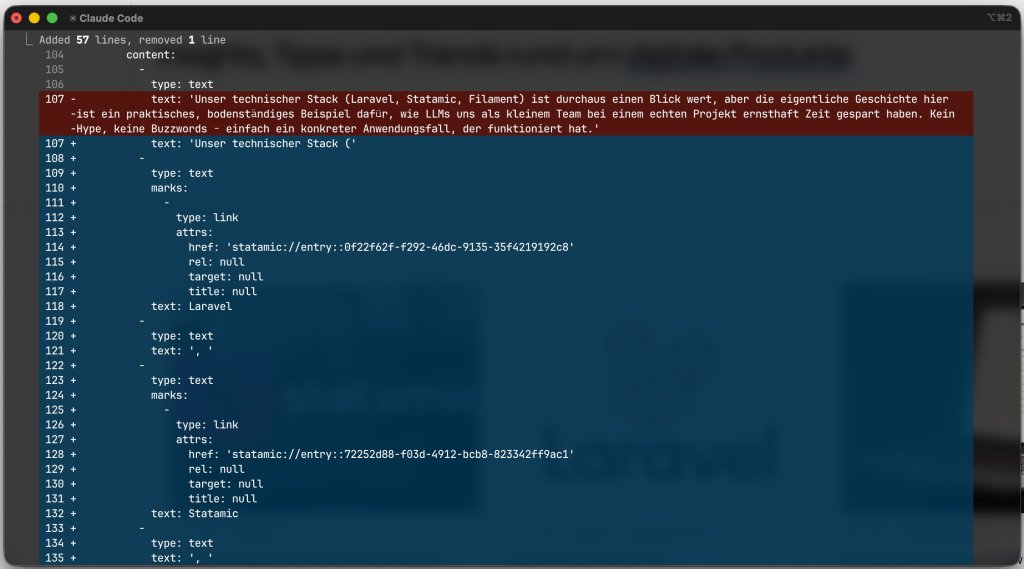
Flat-file vs. database-driven
This is a clear advantage for flat-file CMS platforms like Statamic, even though the same approach could work with database-driven systems – with a bit more effort. However, you lose the Git-based review process during migration – and with more than 500 pages, that is a significant trade-off I was not willing to make.